

Easy Group Registrations For Your Event
RegFox's event registration platform makes group registration for your event incredibly easy for you and your attendees.
.avif)
One toggle does it all
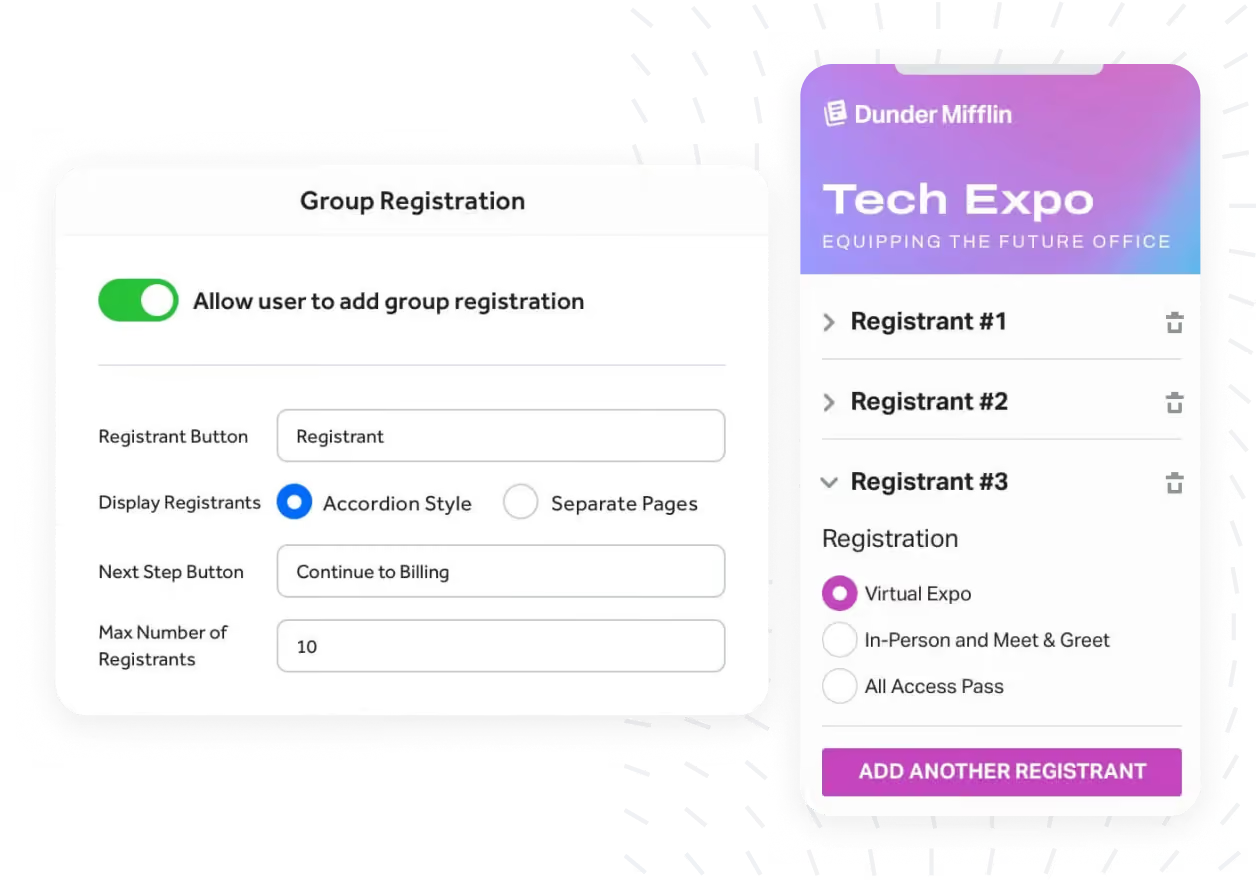
To enable group registration on your event registration page, simply enable group registration in the RegFox event page builder. Registrants can then add additional attendees on their own registration with ease.
Create group size requirements within registration options
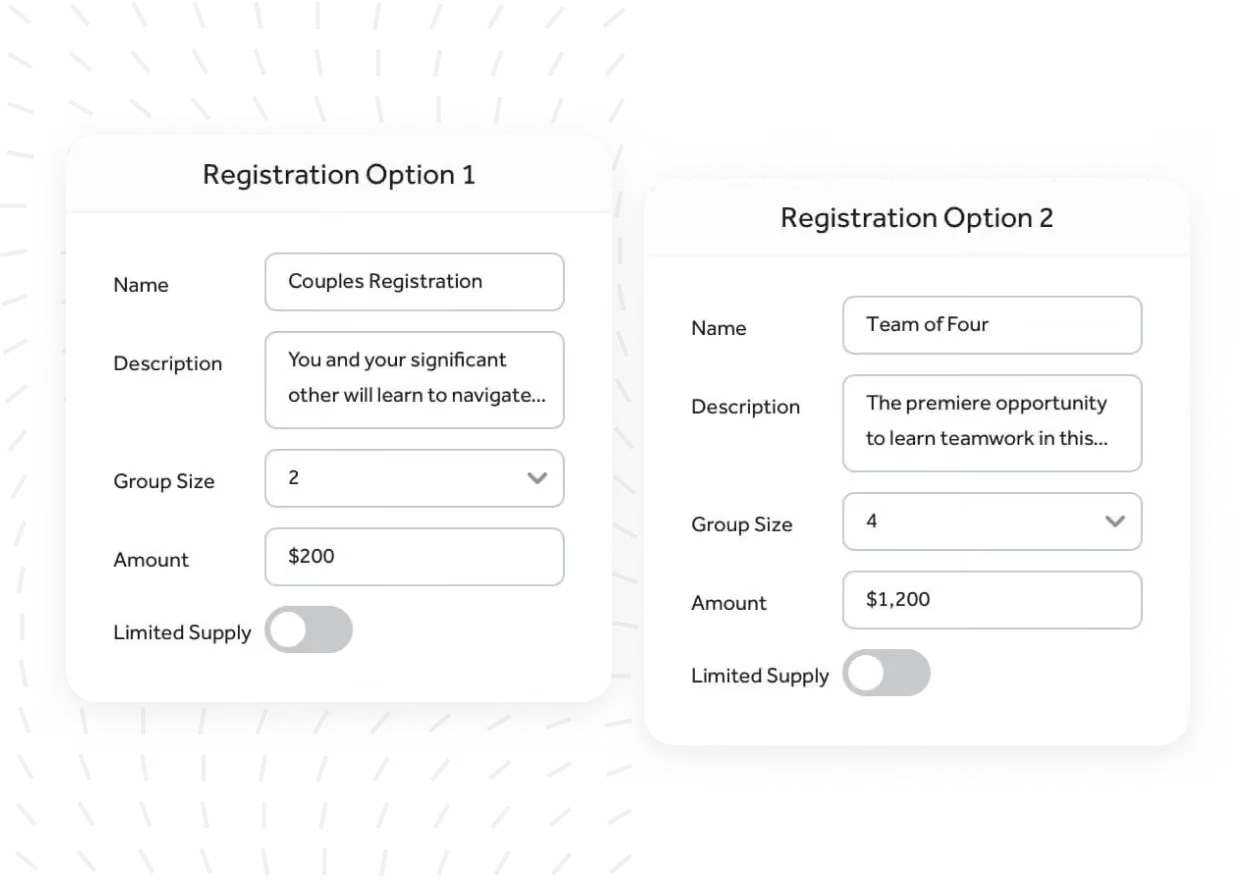
Use the power of group size requirements to require a specific number of attendees for a given registration option.
You can require two attendees for a couple's event, or four attendees for a four-personal golf tournament. RegFox makes group registration easy as pie.
Add, remove, or modify any attendee within the group
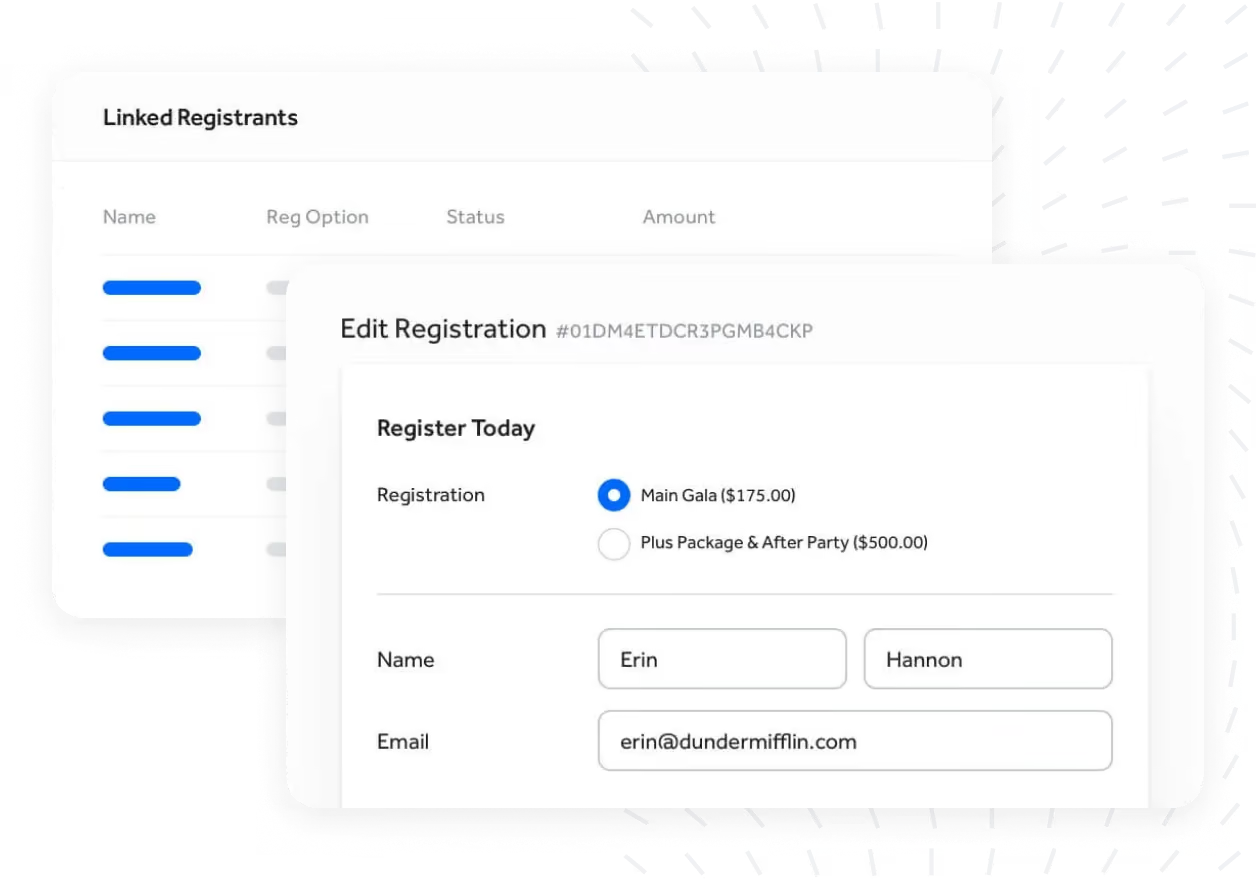
Group registration in RegFox lets you edit or modify any registrant within the group without canceling the whole registration. Need to add additional registrants to an existing group? We make that effortless and hassle free too.
Group Registration is just one reason why
RegFox is the best event management software on the market today.
Easy group registration setup

Turn on group registration with a single toggle and allow unique and fixed sized groups
Customized experience

Control the group registration experience, button language and display.
Group size requirements

Configure your event registration options to require set number of attendees for a given option.
Simple editing and adding

Update a single registrant or multiple registrants in a group and add additional ones in seconds.
Group cancelation

Cancel an individual in a group, the entire group, or just some. Refunds are perfectly calculated.
Linked registrant reporting

Exporting attendees will link registrants within a report with a common identifier.
Join a RegFox demo
Seeing is believing. Attend an on-demand or VIP demo and see all RegFox can do. You’ll learn to use the event page builder, manage attendees, run reports, and more.